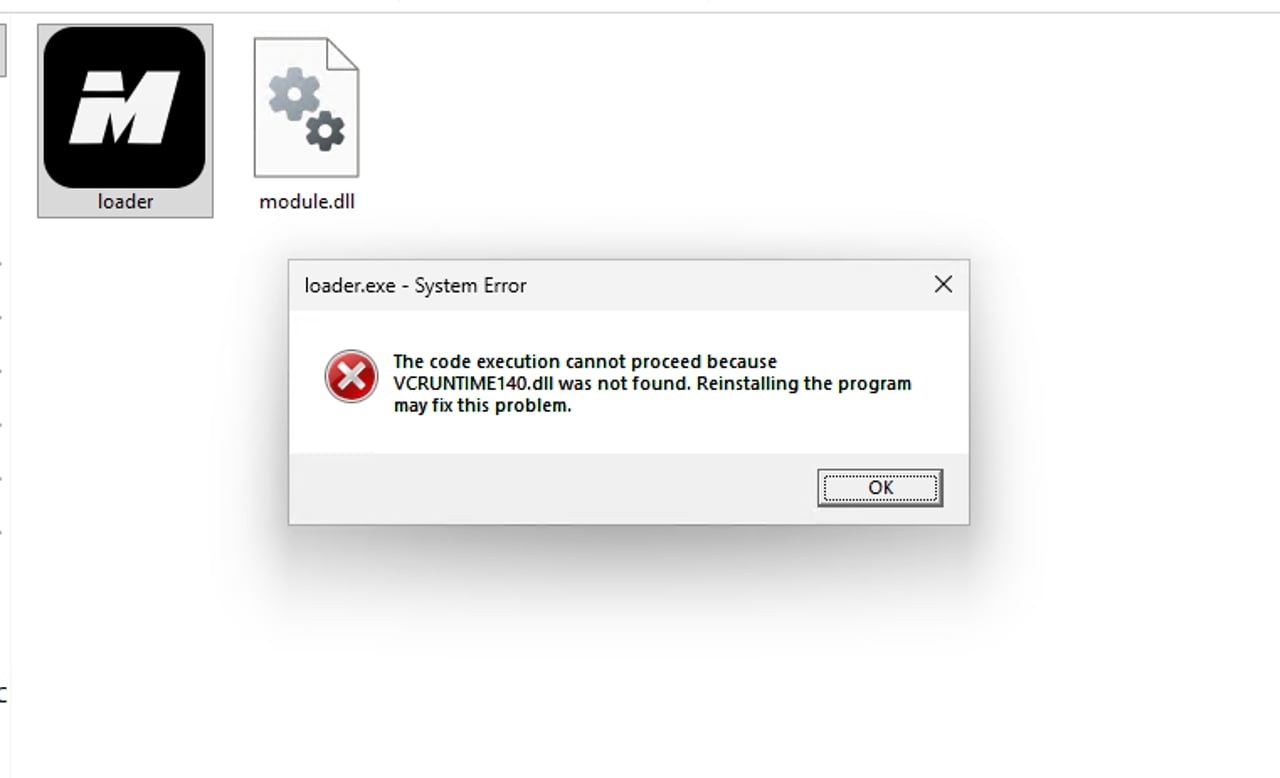
How to Fix the VCRUNTIME140.dll Error
If you see a message like one of these when launching the program:
The code execution cannot proceed because VCRUNTIME140.dll was not found.VCRUNTIME140_1.dll was not foundorMSVCP140.dll is missing
Windows is missing the Microsoft Visual C++ Redistributable, or the installed copy is damaged.
1. Install the Latest Visual C++ Redistributable
Download directly from Microsoft and install:
- x64: https://aka.ms/vs/17/release/vc_redist.x64.exe
If the installer says the version is already installed, click Repair, then restart your PC.
2. Repair via Settings (If Step 1 Did Not Help)
- Open Settings → Apps → Installed apps.
- Search for
Microsoft Visual C++ 2015-2022 Redistributable. - Click ⋯ → Modify → Repair for the x64 version.
- Restart your PC.
3. Check Windows System Files
Open Command Prompt (Run as administrator) and run these commands one at a time:
sfc /scannow
DISM /Online /Cleanup-Image /RestoreHealth
Restart your PC when finished, and install any pending Windows Updates.
Warning
Do not download individual .dll files from third-party websites and place them in System32 or the program folder. They may be the wrong version or contain malware. Only use Microsoft's official installer.
If the problem persists after all steps, contact our support team with a screenshot of the error message.